
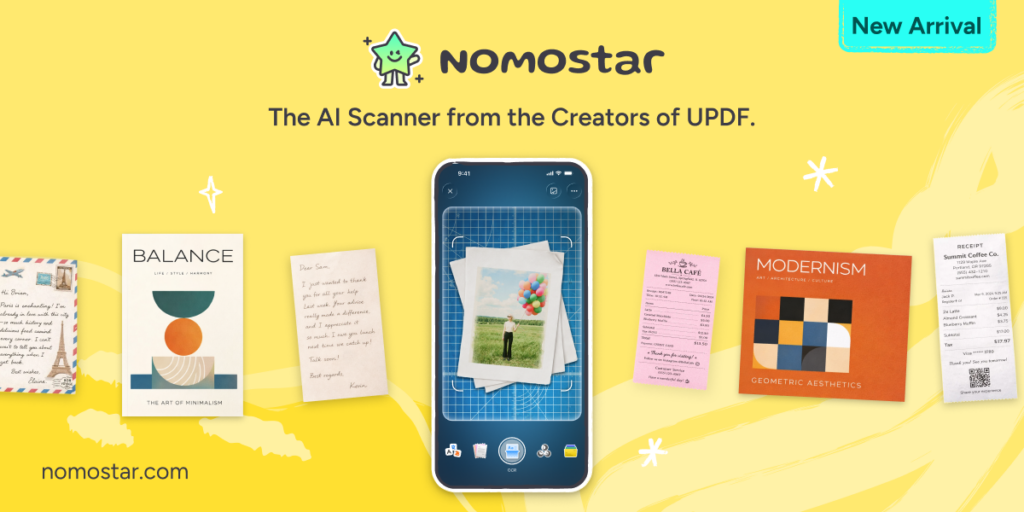
Paperwork is scattered everywhere, from business receipts to travel documents and study notes. So many travelers face a menu, signs, and documents crisis as they are in a language they cannot read. A basic scanner app helps, but only up to a point.
This Nomostar review looks at whether Nomostar can do more than create clean scans. The app positions itself around a simple promise: Simple Pricing, Pro Results. It offers free basic scanning, while premium AI tools cover OCR, translation, receipt parsing, summarization, and object counting. With a reported 4.8/5 rating, cross-platform use, and a 30-day money-back guarantee mentioned in the product outline, Nomostar aims to be a cleaner CamScanner alternative and Adobe Scan alternative for mobile-first users.
Why Nomostar Stands Out
Nomostar is not trying to become a bloated office suite. That is part of its appeal. It focuses on mobile scanning first, then adds AI where it actually helps.
The biggest difference is its clean pricing structure. Basic scanning stays free, including document scans, ID scans, passport scans, smart cropping, and PDF creation. AI tools sit behind Pro, but the split is easy to understand. That matters because many scanner apps feel free until the exact feature needed is suddenly locked.
Privacy is another point in Nomostar’s favor. Files are stored locally on the device unless the user chooses otherwise. For receipts, IDs, business cards, and private paperwork, that is not a minor detail. Many users do not want every scan pushed into a cloud account by default.
The app also avoids ad clutter in the basic tier. That sounds small, but anyone who has used free scanner apps with popups, banners, and upgrade screens knows how quickly the experience gets messy.
Nomostar also supports cross-platform purchase use across iOS and Android. That makes it easier for people who change devices or use more than one phone ecosystem. Pro unlocks automatically after purchase, so there is no manual license activation step.
The deeper product research describes Nomostar as a lightweight mobile utility built around fast scanning, document digitization, and machine-learning-assisted extraction. It also notes a compact iOS footprint of 31.9 MB, which supports the idea that the app is designed to stay quick rather than overloaded.
Who Is Nomostar For?
Nomostar fits several everyday use cases. Students can scan books, handwritten notes, printed handouts, and research pages. With Pro, OCR and summarization make those scans easier to search and review later.
Business travelers can digitize passports, visas, boarding documents, menus, signs, and foreign-language paperwork. Translation support is useful when working across countries.

Freelancers and small businesses can scan receipts, contracts, invoices, and business cards. The receipt scanner is especially helpful for bookkeeping because it can extract merchant names, dates, totals, and items.
Home users can scan bills, warranty papers, ID cards, insurance forms, and personal records without needing a desktop scanner.
Inventory managers and field teams get a more specialized benefit: AI object counting. Taking a photo and counting repeated items can be useful for stock checks, event setup, warehouse audits, and site inspections.
Core Features Deep Dive
Here are some core features that you should know about:

Smart Document Scanner
The main scanner is fast and simple. Nomostar uses the phone camera with auto-edge detection, image enhancement, perspective correction, and cropping. The point is to turn a casual phone photo into something that looks closer to a proper scan.
Batch scanning is useful when handling multi-page files. Instead of creating separate images, users can scan several pages and combine them into one PDF. This works well for contracts, study notes, handouts, receipts, and forms.
The amazing thing is that Nomostar’s foundational scanning layer uses automatic edge detection, real-time perspective warping, and color filtering to create high-fidelity PDFs or image files.
PDF Creation Made Easy
Nomostar is not only a camera app. It can turn scanned pages into PDFs, which makes it more practical for real document sharing.
This is useful for people who need to send official-looking files instead of loose images. A scanned contract, a receipt bundle, or a set of study notes looks cleaner when exported as one PDF.

The best part is that PDF creation belongs to the free scanning layer. Users do not need Pro just to make a basic PDF from documents.
ID Card Scanner
ID scanning is one of the areas where dedicated scanner apps make more sense than a normal camera.
Nomostar includes crop utilities for ID cards, passports, driver’s licenses, bank cards, and similar documents. The goal is to capture front and back clearly, then arrange them in a clean layout.


This is helpful for hotel check-ins, visa paperwork, onboarding, travel records, and personal archives.
AI OCR And Text Translation
OCR is where Nomostar starts moving beyond basic scanning.
With Pro, users can extract text from images. That means a photo of a page becomes searchable and reusable instead of staying locked as an image. Translation adds another layer. Plus, Nomostar supports AI translation across 12 languages, including English, French, German, Italian, Spanish, Portuguese, Russian, Traditional Chinese, Simplified Chinese, Japanese, Dutch, and Korean.


This matters for travelers, students, and professionals dealing with multilingual documents. A menu, sign, receipt, business card, or contract excerpt can become more understandable without manually typing text into a separate translation app.
Business Card Scanner
Business cards are small, but entering their details manually is annoying. Nomostar’s business card scanner is designed to capture names, companies, phone numbers, email addresses, and other contact fields. The app can then turn that into structured contact information.
For conferences, sales meetings, networking events, and client visits, this saves time. It is especially useful for people who collect several cards in one day and do not want to type everything later.
Smart Receipt Scanner
The smart receipt scanner is one of the most practical Pro features. Instead of only saving an image of a receipt, Nomostar can extract structured data such as merchant name, date, total, itemized lists, and taxes. For freelancers and small business owners, that makes expense tracking easier.


In other words, it can be used as a financial document parser for receipts and invoices, to convert transaction details into structured bookkeeping data.
This feature is not just convenient. It can reduce errors. Manual entry is where small mistakes creep in, especially when handling many receipts after travel or client work.
AI Object Counting
AI object counting is the feature that separates Nomostar from many normal scanner apps.
The idea is simple. Take a photo of repeated objects, and the app counts them. This can be useful for inventory, stocktaking, warehouse checks, equipment audits, classroom materials, event supplies, pipes, panels, boxes, or components.


The AI Object Count is listed as a subscription feature powered by computer vision pattern matching, producing instant numerical quantity results.
This is not something every user needs. But for the right user, it can replace slow manual counting.
Competitive Comparison: How Nomostar Beats Others
Nomostar sits in a crowded category, where Adobe Scan, CamScanner, Microsoft Lens, and other tools already exist. The question is not whether Nomostar scans documents. The question is whether it makes the experience cleaner.
| Feature | Nomostar | Adobe Scan | CamScanner | Microsoft Lens |
| Basic Document Scanning | Yes (Free) | Yes | Yes | Yes |
| Ad-Free Free Version | Yes | Mostly | No | Yes |
| OCR Text Recognition | Yes (Pro) | Limited Free / Paid | Paid | Basic |
| AI Translation | Yes (12 Languages) | No | Limited | No |
| AI PDF Summarization | Yes | No | No | No |
| AI Object Counting | Yes | No | No | No |
| Business Card Scanning | Yes | Limited | Yes | Basic |
| Smart Receipt Parsing | Yes | Basic | Limited | No |
| Cross-Platform Purchase | Yes (iOS + Android) | No | No | Microsoft Account Based |
| Local-First File Storage | Yes | Cloud-Focused | Cloud-Focused | Cloud-Integrated |
| Batch Scanning | Yes | Yes | Yes | Yes |
| ID & Passport Scanning | Yes | Basic | Yes | Basic |
| Automatic Pro Activation | Yes | No | No | No |
| Future AI Features Included | Yes | No | No | No |
| Starting Price | Free / $4.99 Pro | Subscription Required | Subscription Required | Free |
| Best For | AI-powered scanning + privacy | Adobe ecosystem users | Heavy scanning users | Office users |
A fair summary of this comparison would be this: unlike scanner apps that charge for basic convenience or push users toward cloud workflows, Nomostar keeps scanning free, stores files locally, and charges mainly for AI-powered features.
The comparison chart shows Nomostar positioned against Adobe Scan and CamScanner with free basic access, $4.99 monthly premium pricing, no ads, and unique AI Object Counting as a key differentiator.
User Experience And Platform Support
Nomostar is built for mobile use, with simple account creation through email and login code. A password is optional, which lowers the friction for setup.
The cross-platform subscription model is one of the stronger user-experience points. A user who buys Pro on one platform can use it across iOS and Android with the same account, according to the product outline.
There is one limitation worth noting. File sync is not available yet, but will be added soon in the coming updates. For people who mostly work on one phone, this will not matter much. For users who scan on one device and edit on another, it may feel limiting until sync arrives.
Customer support is listed as available 24/7, and a 30-day money-back guarantee. Since mobile purchases usually depend on app store rules, users should still check the exact refund process before subscribing.
Pricing And Plans: Transparent, No Surprises
Here are the pricing details of Nomostar:

Nomostar Basic
Nomostar Basic is free. It includes the scanning features most people need for everyday use.
Users can scan papers, books, IDs, passports, visas, bills, and documents into PDFs. Smart cropping, an ad-free library, and dark/light mode support are also included.
That free tier is important. It means Nomostar can function as a daily scanner without forcing payment immediately.
Nomostar Pro
Nomostar Pro is priced at $4.99 per month, according to the product outline. The research document also lists an annual plan at $49.99, which works out cheaper than paying month to month.
Pro adds the AI layer:
- AI translation across 12 languages
- OCR text recognition
- AI PDF analysis and summarization
- Receipt parsing
- Business card scanning
- Object counting
- Future AI features included in Pro
The pricing is easy to understand: scanning is free, AI features are paid.
Quick Pricing View
| Plan | Price | Best For | Includes |
| Nomostar Basic | Free | Everyday scanning | Documents, IDs, PDFs, cropping, ad-free library |
| Nomostar Pro | $4.99/month | AI-powered workflows | OCR, translation, receipt parsing, object counting, AI analysis |
| Annual Pro | $49.99/year | Regular users | Same Pro features at lower yearly cost |
Frequently Asked Questions
Pro activates automatically after purchase. Users only need to log in with the account connected to the subscription.
Nomostar stores files locally on the device unless the user chooses otherwise. That makes it more privacy-friendly than tools that require cloud uploads.
Yes, the same account can unlock Pro across iOS and Android.
Yes. Basic scanning is free, but OCR is AI-based and belongs to Pro.
The research document lists 12 supported languages: English, French, German, Italian, Spanish, Portuguese, Russian, Traditional Chinese, Simplified Chinese, Japanese, Dutch, and Korean.
Honest Pros and Cons
Here are some pros and cons to help you out:
Pros
- Nomostar is clean, lightweight, and easy to understand. Basic scanning is free and ad-free, which already makes it better than many scanner apps.
- The AI tools are practical rather than decorative. OCR, translation, receipt parsing, and object counting solve real problems.
- The local-first storage model is reassuring for private documents.
- The pricing is simple. Free scanning, paid AI.
Cons
- OCR and translation are not free, which may disappoint users expecting everything at no cost.
Final Verdict: Is Nomostar Worth It?
Nomostar is a strong choice for anyone who wants a scanner app that stays simple but still offers useful AI features.
It is not trying to replace full desktop document software. That is a good thing. It focuses on the mobile scanning jobs people actually do: scan a receipt, digitize an ID, translate a sign, capture a business card, turn paper into PDF, or count physical items from a photo. For casual users, the free tier is enough to replace a basic scanner. For students, freelancers, travelers, and field workers, Pro adds meaningful value.For the Nomostar review, the conclusion is straightforward: this is one of the more practical candidates for the best AI scanner app category, especially for users looking for a clean CamScanner alternative or Adobe Scan alternative with simple pricing and useful AI. Stop wrestling with paper. Start scanning smarter. Use Nomostar now!