
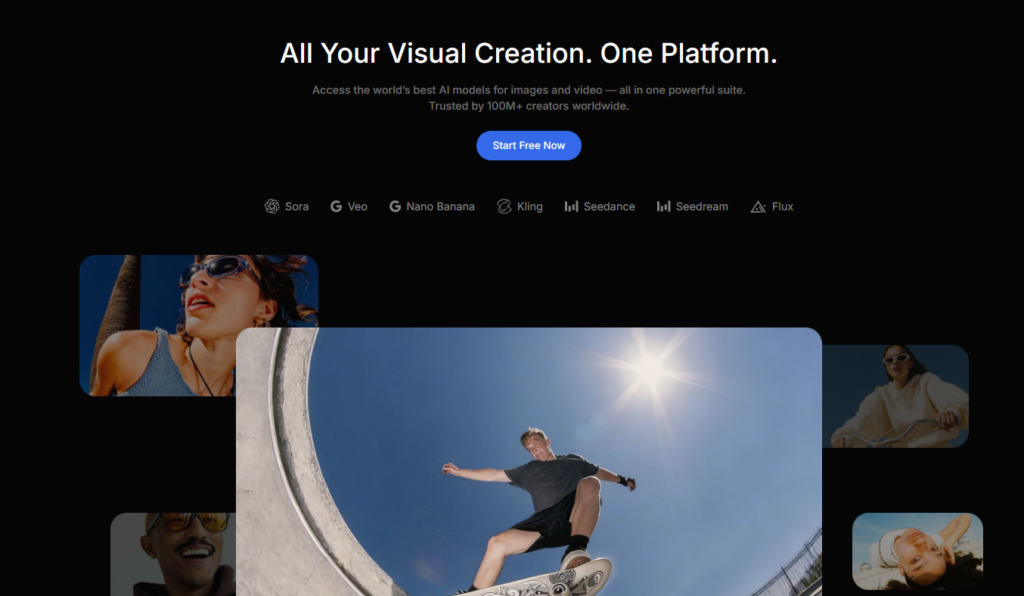
Over the past year, one trend has become increasingly clear in generative AI: no single image or video model excels at everything. Some models produce more realistic motion, others generate stronger lighting and textures, while others perform better at maintaining character consistency across multiple generations. As a result, creators increasingly switch between different models depending on the task instead of relying on a single tool. The downside is that this often means managing multiple platforms, accounts, and subscriptions.
DaVinci AI aims to simplify that workflow by bringing multiple leading AI models into a single workspace. Instead of switching between different services, you can access a wide range of image and video models from one interface.
In this review, we take a close look at what DaVinci AI offers, which AI models are currently available, how its editing tools perform in practice, and whether its pricing represents good value.
What Is DaVinci AI
DaVinci AI is a web-based generative media tool that brings together leading AI models for image and video generation on a single platform. You can switch between flagship models from different providers, including Sora, Veo, Kling, Seedance, Seedream, and Nano Banana, all from one interface, without needing to create separate accounts or make separate payments for each. Without needing to create separate accounts or make separate payments for each. The platform works on mobile, tablet, and desktop browsers, and it also has iOS and Android apps.
Rather than focusing on a single proprietary model, DaVinci AI acts as a central workspace for multiple AI image and video models. It’s multiple generative models brought together under one roof. When you want to generate video in Sora, an image in Nano Banana, and voiceover on an ElevenLabs based engine, they all appear on the same project screen.
Model Library: Genuinely Extensive
Opening DaVinci AI’s model dropdown menu reveals dozens of image and video models. Some standouts include:
- On the image side: Nano Banana Pro, Seedream 5.0 Pro, Flux 2, DaVinci Ultra, Kling O1 Image, GPT Image 2
- On the video side: Sora 2 and Sora 2 Pro, Veo 3.1, Kling 3.0, Seedance 2.0, Wan 2.7
Bringing this range of popular image and video models together in one platform is one of DaVinci AI’s main differentiators; usually you’d need to visit a separate platform for each one. DaVinci AI’s value proposition here is clear: a user who wants to test the same prompt across multiple models can stay on a single screen instead of switching between browser tabs. With Higher-tier plans, you can also run multiple generations simultaneously and compare results side by side, which can make it easier to compare outputs before selecting the best result.
Generating an image is only part of the job; the real difference often shows up at the editing stage. The suite covers the essentials: an Object Remover / Erase tool for cleaning unwanted elements out of a scene, Background Remove & Swap for pulling out or fully replacing a background, Relight for reconstructing a product photo’s light source and shadows, Reshoot / Change Camera for regenerating a scene from a different angle, and Upscale for pushing a low-resolution image up to high resolution without losing detail.
Of these, the lighting and camera-angle tools are particularly notable — they let you turn a single shot of a product photo into multiple usable variations. Some supported models also provide character consistency features, allowing recurring characters to remain visually similar across multiple scenes.
Artwork, Moodboards, and Ready Made Templates
DaVinci AI‘s “Artwork” section offers dozens of pre-built artistic styles and moodboards for users without needing advanced prompt-writing skills. Picking a style and applying it to your own image is much faster than building a prompt from scratch.
Templates follow a similar logic: categories like business portraits, video thumbnails, logo design, and product/ad visuals come as ready made formats. This can save considerable time for small business owners and marketers who need to produce content regularly.
Audio and Music Generation: A Package That Goes Beyond Visuals
One thing that sets DaVinci AI apart from many other visual focused tools is its audio side. The platform integrates voice generation technologies such as ElevenLabs and MiniMax Speech to generate natural sounding text to speech, allowing you to choose from different languages, accents, and delivery styles. On the music side, you can create instrumental tracks or full songs with vocals by entering your own lyrics, with control over parameters like genre, mood, and tempo.
For creators producing complete marketing assets, having image generation, voice synthesis, and music creation within the same workspace can reduce the need to move between multiple AI platforms.
How Does the Trial Work?
When you create a new account, you can generate your first image without entering credit card information, making it easy to explore the platform before committing to a paid plan. If you decide to continue, DaVinci AI offers several subscription options with different credit allowances and model access. Since pricing and promotions may change over time, it’s best to check the latest details directly on the official website.
Credit-based system, your monthly credit allowance and access to certain AI models and priority queue access vary by plan. We recommend checking current pricing and any promotional campaigns directly on davinci.ai, since these kinds of promotional prices can change over time.
Pros and Things to Watch Out For
Pros:
- Access to dozens of flagship image/video models with a single subscription
- Generation, editing, character consistency, and upscaling all in the same interface
- Audio and music generation within the same project as the visual tools
- Ability to start on mobile browser and continue on desktop
- No extra charge when new models are added
Things to watch out for:
- With this many models available, there can be a slight learning curve at first; figuring out which model performs best for which job takes some trial and error
- Heavy users who need higher credit volumes (such as producing many videos daily) may find themselves needing to move up to higher tier plans
Who Is It For?
A few user profiles stand to benefit most. AI enthusiasts and creators who regularly compare different models will find the dropdown alone worth the subscription. Marketers and e-commerce sellers get the most practical mileage — product visuals, ad creatives, and UGC-style videos are exactly the volume-heavy work this platform is built for. Designers and freelancers can lean on it for concept art, moodboards, and client mockups, content creators for quick clips, thumbnails, and transition effects for Reels, Shorts, and TikTok, and small business owners for everyday social media visuals and brand content.
Frequently Asked Questions
Yes. DaVinci AI provides access to these models and more through a single subscription and a single interface.
No. Rather than replacing dedicated AI generators, DaVinci AI brings together multiple leading image and video models within one workspace, making it easier to compare different tools without managing separate subscriptions.
No credit card information is required for your first image generation after creating an account. Moving to a paid plan is required for full feature access.
Yes, the platform is accessible from mobile browsers and also has iOS/Android apps.
Commercial use depends on your subscription terms and compliance with applicable copyright and trademark laws. Users should review DaVinci AI’s current licensing policy before publishing commercial work.
Conclusion
It wouldn’t be accurate to judge DaVinci AI by a single feature. Its real strength lies in bringing together functions that are typically spread across five separate tools, image generation, video generation, editing, audio, and music, under one subscription and one interface. It offers a practical consolidation especially for content creators, marketers, and designers who are tired of switching between multiple generative AI tools.
If you want to see whether DaVinci AI fits your workflow, we recommend starting with the free trial. It provides a practical way to evaluate the platform before committing to a subscription. Testing a few real-world projects is often the best way to determine whether it meets your creative needs.