
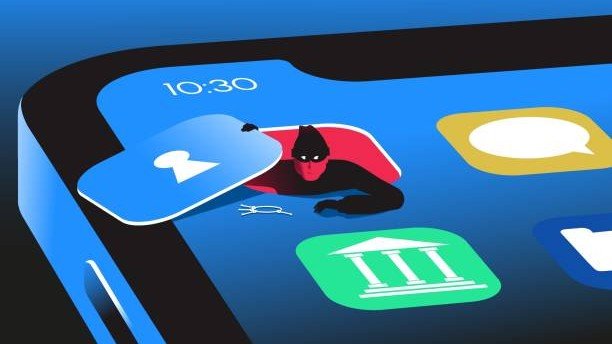
A phone that suddenly starts draining its battery, overheating, or showing unwanted advertisements can be frustrating. Sometimes, the cause is more serious than it seems at first glance. Hackers apply various techniques to hack smartphones and obtain sensitive data. Phishing and apps that can harm users’ privacy are common ones. Moreover, hackers can disguise their programs as ordinary applications, making it hard to tell which ones are harmful. If you notice several peculiarities in how your device functions, there is a possibility of hacking. Here are five possible indicators that your phone may be hacked and how to deal with them.
1. You Notice Apps You Don’t Remember Installing

Finding an app on your phone that you don’t remember downloading can be an early sign of a security issue. Hackers sometimes use malware apps to harvest your personal information without your knowledge. Malware applications are sometimes disguised to resemble well-known applications. One such application is RatHat malware, which can disguise itself as Google Chrome. After installation, it can then steal passwords, two-factor codes, and personal messages. Such threats often spread through malicious text messages and fake app download websites.
Android phone users can view the apps installed on their phone and run a scan through Google Play Protect. Google Play Protect is a security tool that can find and remove many potentially harmful apps. iPhone users need to go to Settings, then General, and then to the VPN & Device Management section to see if there are any configurations they don’t recognize. Such configurations may give access to the user’s information. Remove suspicious apps or profiles if you cannot verify their source. In some cases, persistent malware may require a factory reset to remove it completely.
2. You Receive Unexpected Login Alerts and Verification Codes

Receiving a login notification or verification code when you are not signing in can be a warning sign. Someone is trying to log into his account without his consent. Companies like Apple and Google notify users of suspicious logins or other unusual activity. You may also receive password reset requests and two-factor authentication codes that you never requested. This means someone has managed to get his password either through a phishing attack or a data breach. They may now be trying to access your account from another device.
Some advanced attacks can also target two-factor authentication codes through malicious applications. Therefore, never share verification codes or approve login requests you did not initiate. If you notice suspicious activity, change your account passwords using another trusted device. Also, review recent login activity and sign out of devices you do not recognize. Contact your mobile carrier to check whether someone has enabled unauthorized SMS forwarding on your number.
3. Pop-Up Ads Appear Even When You’re Not Browsing
Frequent pop-up advertisements can be another sign that your phone has unwanted software. Although advertisements while surfing on the Internet are normal, receiving pop-ups outside the browser is rather unusual. You may see them while using other applications or when your phone is idle. Malicious software may cause advertisements for some unnecessary applications to appear in the background without requiring any action from you.
Midnight Mimosa is one example of such malware. Security researchers found it pre-installed on thousands of budget Android phones. It can install weather and utility apps that display unwanted advertisements. Researchers also linked it to the misuse of infected phones for routing other people’s internet traffic. If you notice similar behavior, check your installed apps and remove anything suspicious. Avoid downloading applications from unofficial websites. Some malware hides inside system software and can survive a factory reset. In such cases, contact the manufacturer or consider replacing the device.
4. Your Phone Gets Hot and Its Battery Drains Quickly

A phone that gets unusually hot or loses battery quickly could indicate suspicious background activity. Some malicious applications continuously use the phone’s processing power to collect personal information. They may also communicate with external servers and send stolen data without the user’s knowledge. These activities consume system resources and can make the phone warm, even when nobody is using it. You may also notice that the battery drains much faster than usual.
However, overheating and excessive battery drain don’t always indicate that your phone has been hacked. Other factors, like software upgrades, apps that require more processing power, poor network reception, and old batteries, could be the cause. To find out for sure, access the battery settings in your phone’s menu. Look at the apps using up the most battery power and check for any unknown apps with background activity. If you find anything suspicious, investigate the app and remove it if necessary.
5. Your Phone Is Using More Mobile Data Than Usual
A sudden increase in mobile data usage can be another sign of suspicious activity on your phone. Some malware secretly collects personal information and sends it to external servers. This information may include saved passwords, private messages, and other sensitive details. Sending this data in the background can increase your phone’s internet consumption without your knowledge. For example, RatHat malware uses a proxy to transfer stolen information to hackers. Other malicious programs can also misuse an infected phone’s internet connection to route other people’s online traffic.
To check for unusual activity, open the Settings app and review your mobile data usage. Both Android and iPhones have a way to check data consumption per application. Look out for any apps that might be using a lot of data. If you suspect usage is too high, contact your mobile carrier. They can help verify your overall data consumption and investigate unexpected usage.